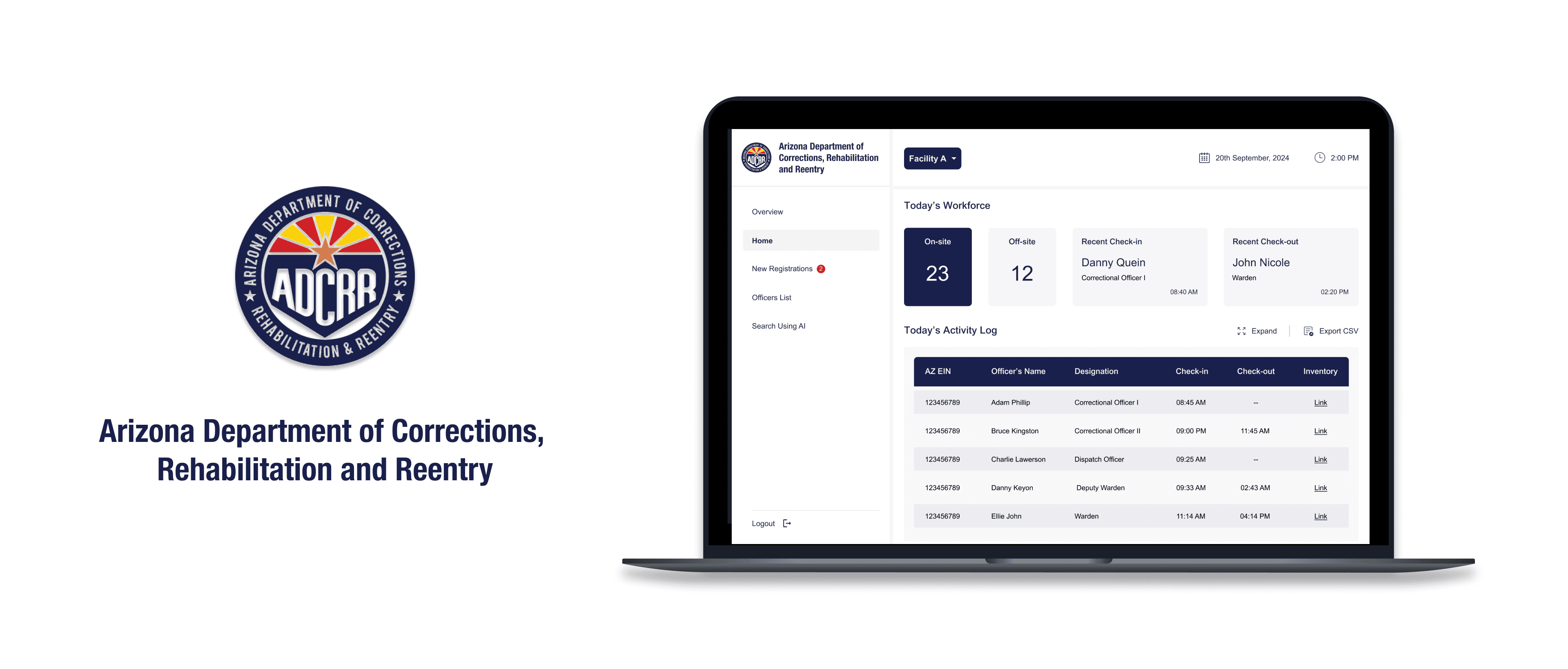
The Arizona Department of Corrections, Rehabilitation and Reentry (ADCRR) Officer Check-In / Check-Out System was developed to streamline the entry and exit procedure of officers at the Arizona correctional facility using Amazon One palm recognition technology.
The solution enables real-time tracking of officers’ onsite and offsite status and allows for natural language queries to easily and quickly retrieve records.
This project was delivered as a Proof of Concept during my role as the UX Designer at ASU AI Cloud Innovation Center.

Background
Why this challenge?
When an incident occurs in a correctional facility, admins lack reliable real-time information on which officers are on-site and who are off-site.
This gap slows decision-making and delays response teams, affecting efficiency.
Existing Workflow
What is the current solution?
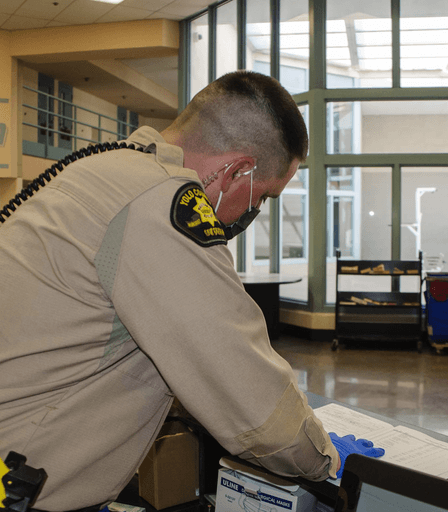
The officers are maintaining a record notebook where they make manual entries for every check-in/out.
This is what makes it difficult for them to retrieve the data in case of an emergency situation.
Target Audience
Who are the users?
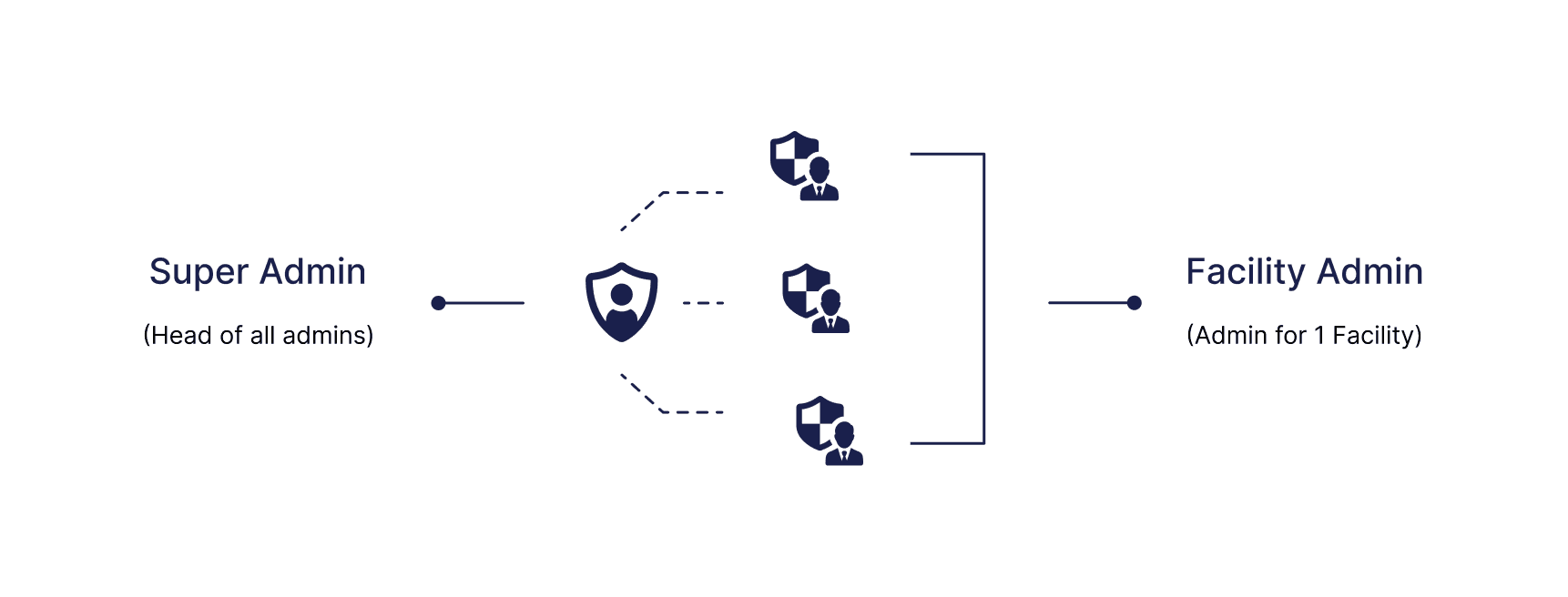
The system is designed for facility admins and super admins at ADCRR who manage officer check-ins, track equipment, and monitor real-time onsite and offsite status. Facility admins oversee specific locations, while super admins have visibility across multiple facilities to maintain a comprehensive view of activities.
User research
Stakeholder Interviews
I conducted stakeholder interviews with facility admins and super admins to gain insights into the needs and challenges faced by the ADCRR officers. The discussions focused on understanding their current workflow, environment, key tasks to accomplish, and major challenges. These insights helped identify opportunities to solve their problems effectively.
Sample Interview Script
What’s the context?
How do you currently handle the challenge?
What are the major problems you face?
How many facilities are there?
How is an officer check-in/check-out recorded?
What do you verify when an officer check-in and check-out the facility?

Understanding the User
After conducting stakeholder interviews, I gained a broader understanding of the challenge, including insights into their behaviors, technology usage, pain points, and their needs. Here are the stakeholder interview insights:
Separate dashboards are needed to ensure super admins can access all related information for better oversight.
Admins seek real-time insights into officer on-site and off-site statuses to enhance operational efficiency during incidents.
The need for a natural language query feature was highlighted as a potential solution for quickly accessing retrieving information during incidents.
Admins highlight the importance of integrating Amazon One technology for a seamless check-in and check-out experience.
Exploring Amazon One Device
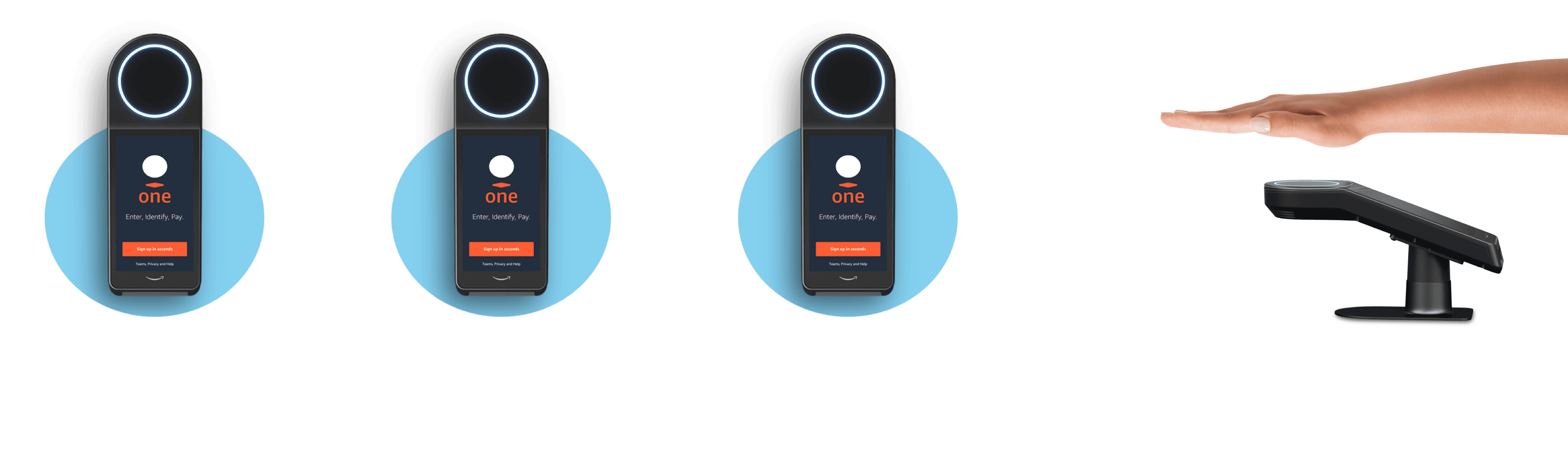
Since the ADCRR officers highlighted the plan to integrate the Amazon One device, we set it up in our office space and began exploring how it works.
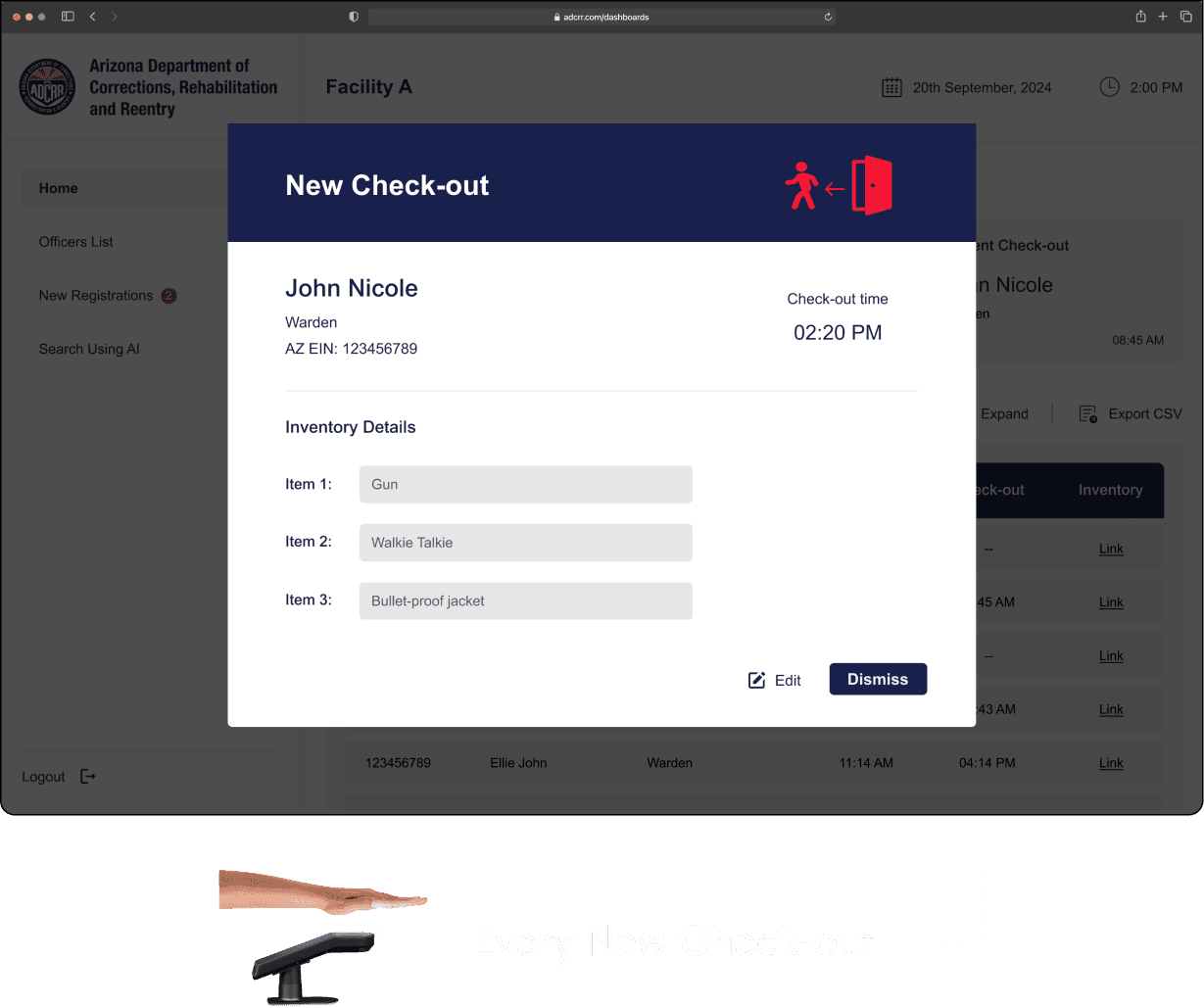
Amazon One is a contactless palm recognition technology that enables users to check in or out securely and conveniently. By scanning their palms, ADCRR officers can quickly check in and out of the facility, making the process seamless and efficient.
Amazon One Integration Plan
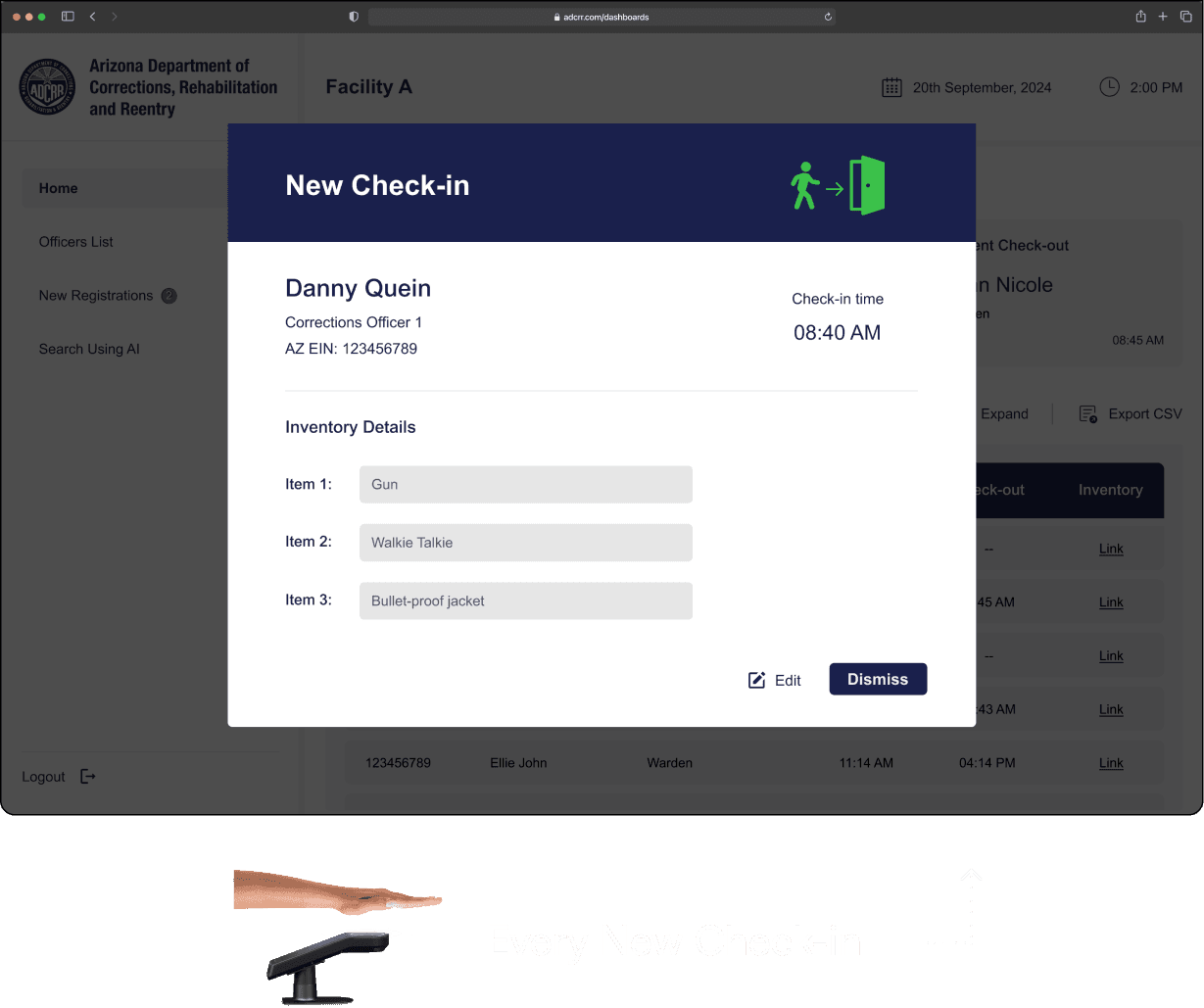
During our team's discussions on integrating Amazon One, we realized that each device can hold memory for only one function. As a result, we decided to use three separate devices: one for registration, one for check-in, & one for checkout.
Problem Space
Issues Found
Lack of clarity in tracking onsite/offsite officers.
Inefficient processes for retrieving data.
Difficulty in managing and monitoring items associated with each officer.
Need for two dashboards one for Facility admin and other for Super admin.


Reframing the Problem
How might we ensure that facility and super admins have accurate real-time information about which officers are on-site and off-site and their associated items to enhance operational efficiency?
Brainstorming Initial Ideas
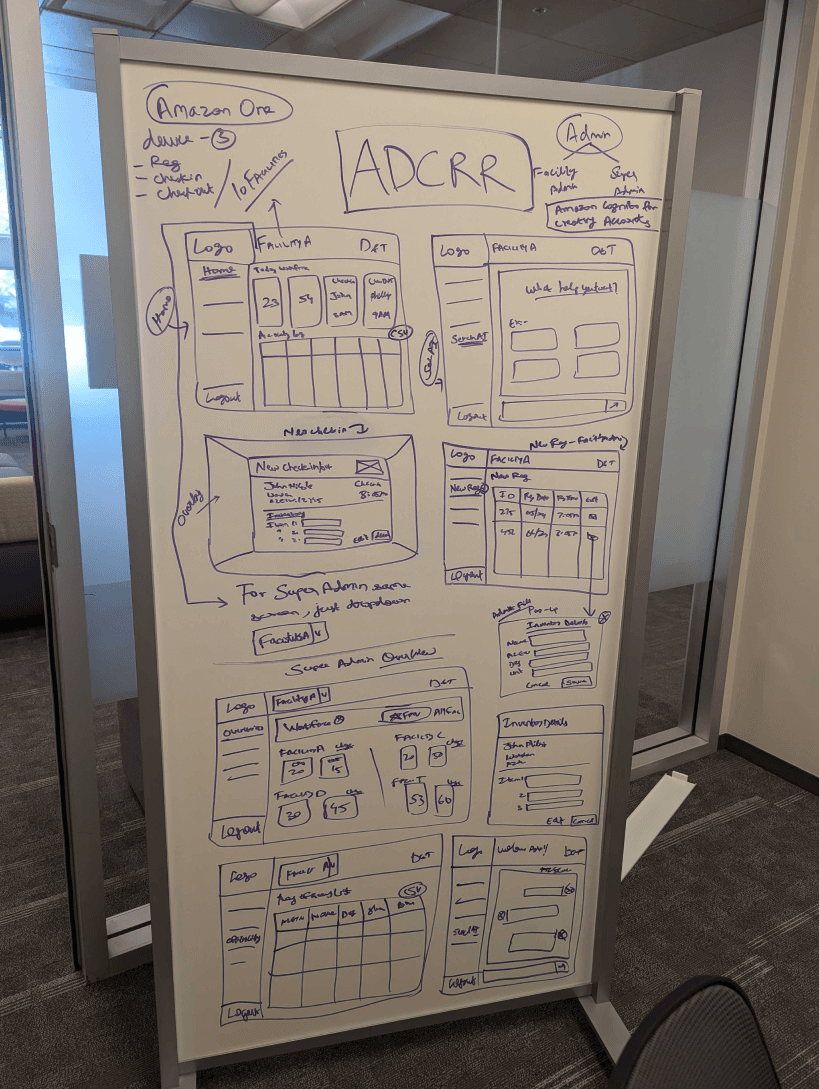
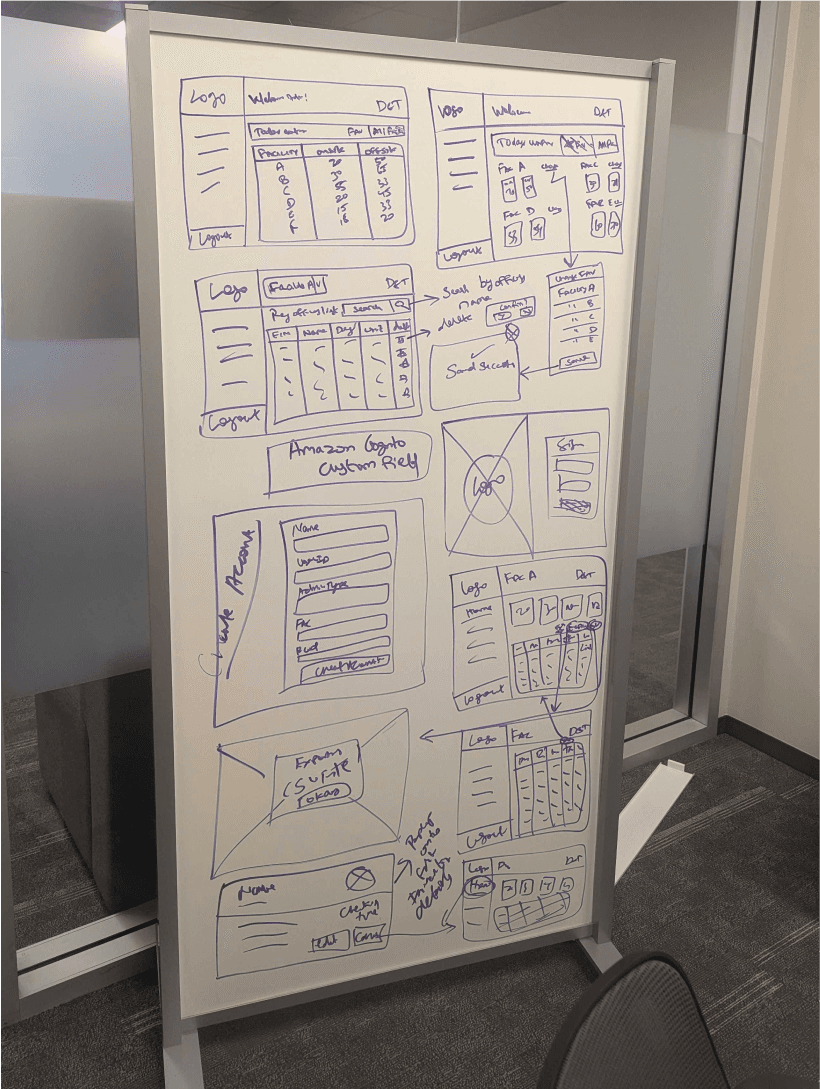
I began by sketching initial concepts for both dashboards, emphasizing a simple and minimal design while considering the integration of the Amazon One device. Collaborated with developers during brainstorming to ensure technical feasibility.
High Fidelity Designs
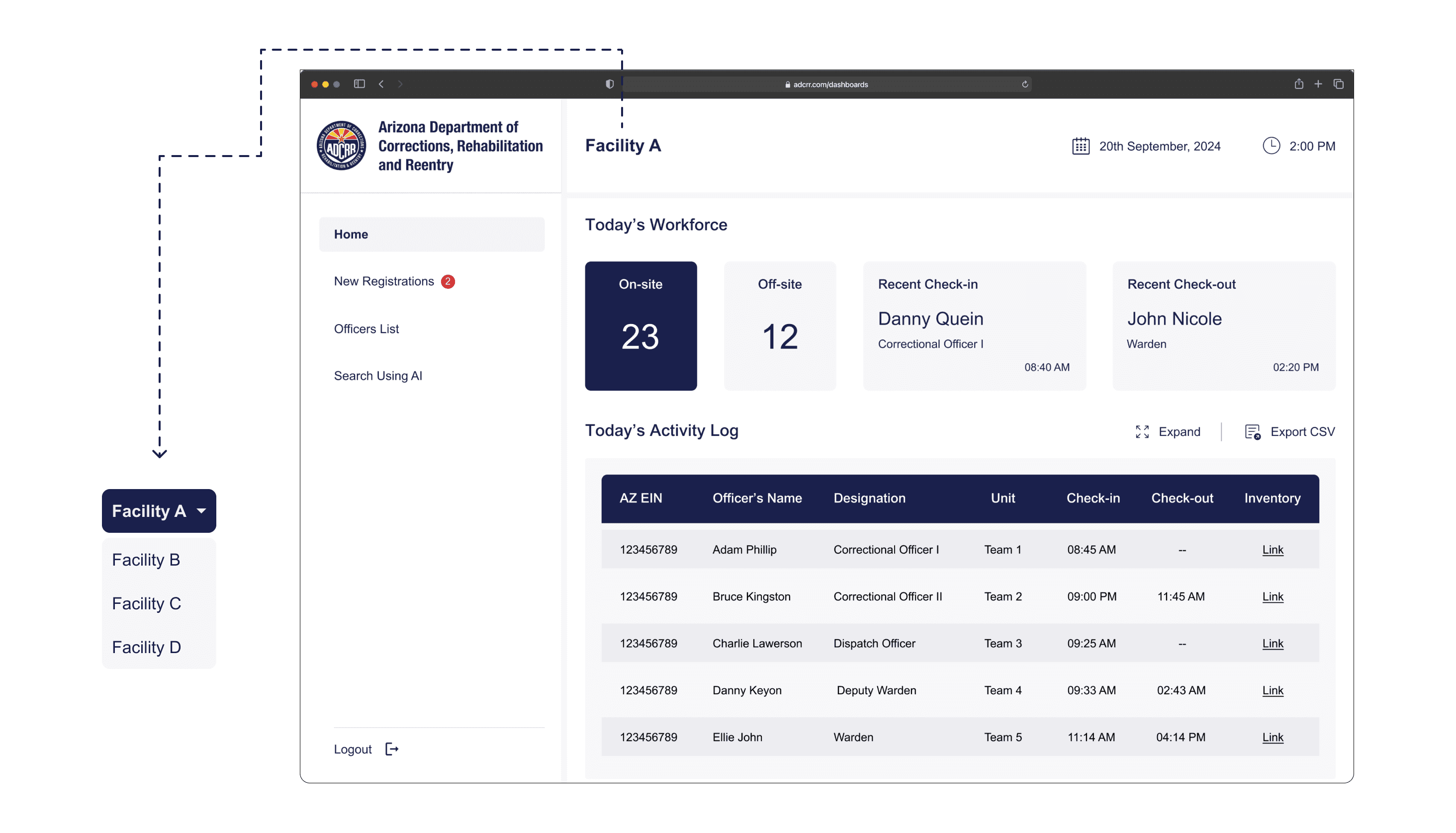
Facility Admin Home Page
ADCRR Officers’ onsite and offsite status is updated in real-time, ensuring accurate data is always available.
Super Admin Home Page
The home page for the super admin is similar to the facility admin's, with the added capability to navigate through all facilities and view their respective dashboards.
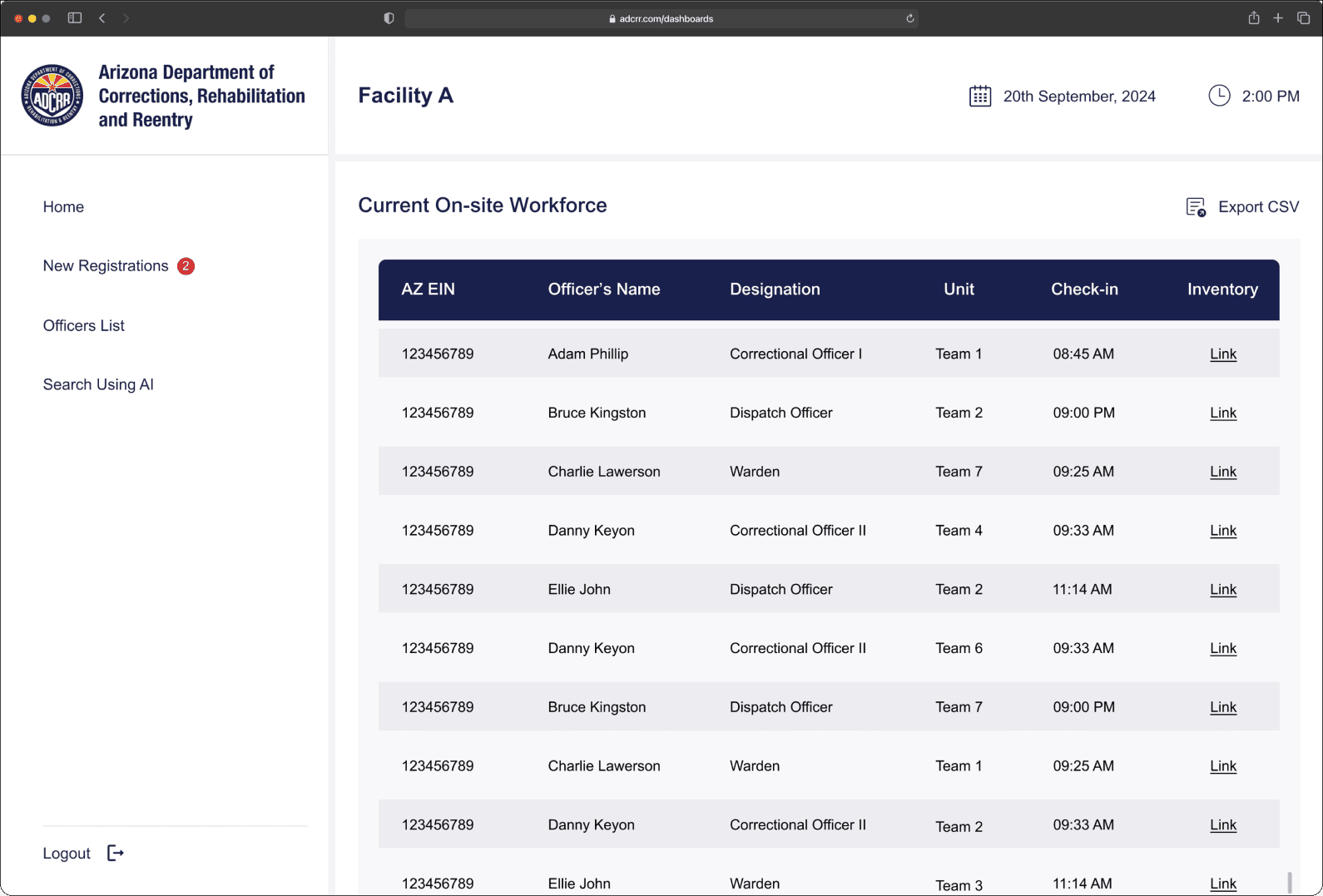
Current On-site Workforce
Clicking on the On-site card on home page will display a detailed list of current on-site officers.
New Registration Device
The Amazon One registration device only generates a random ID, date and timestamp. The facility admin has to manually enter the officer's details. The registration is successful only after these details are entered.
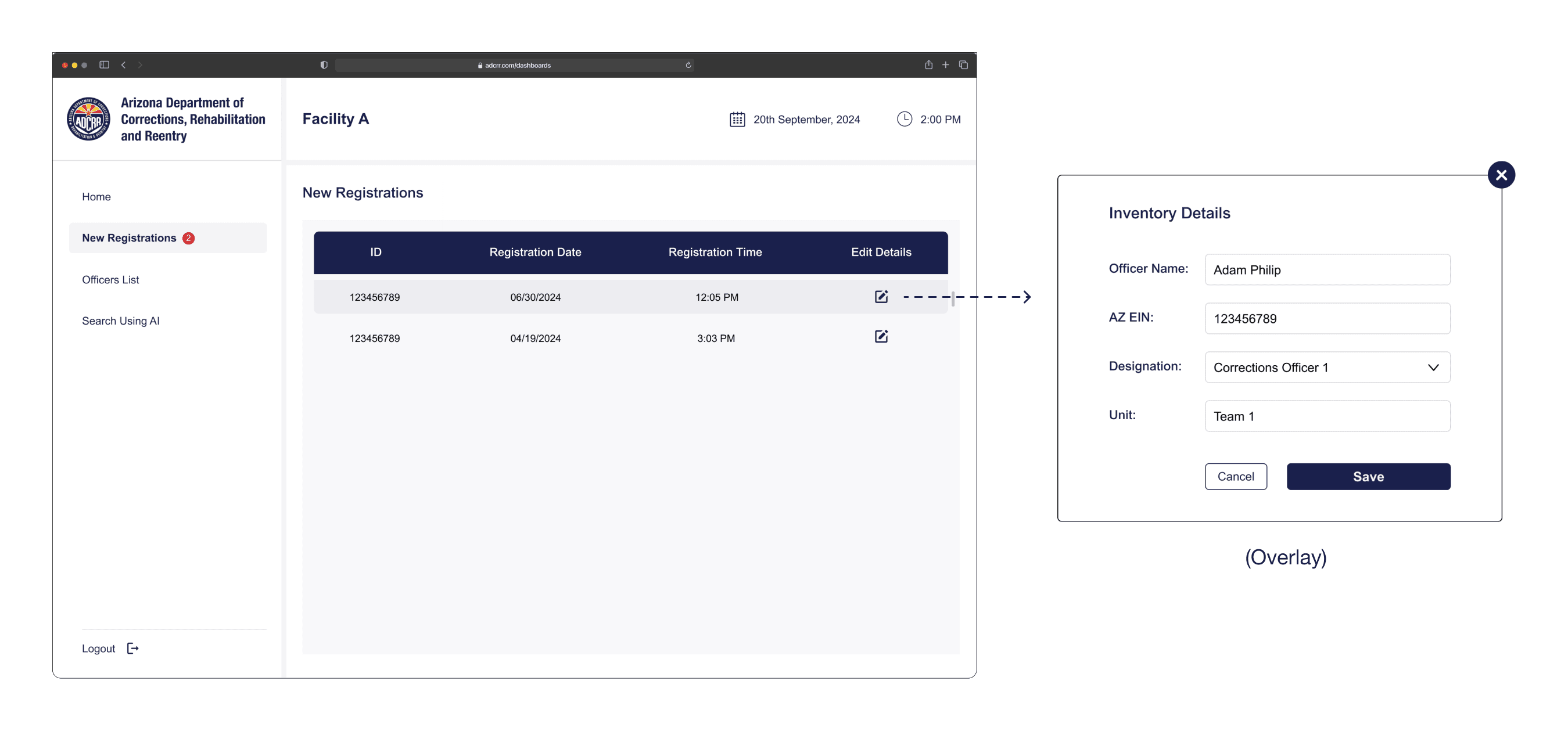
Once the facility admin completes the registration, the newly registered officers will be added to the registered officers list.
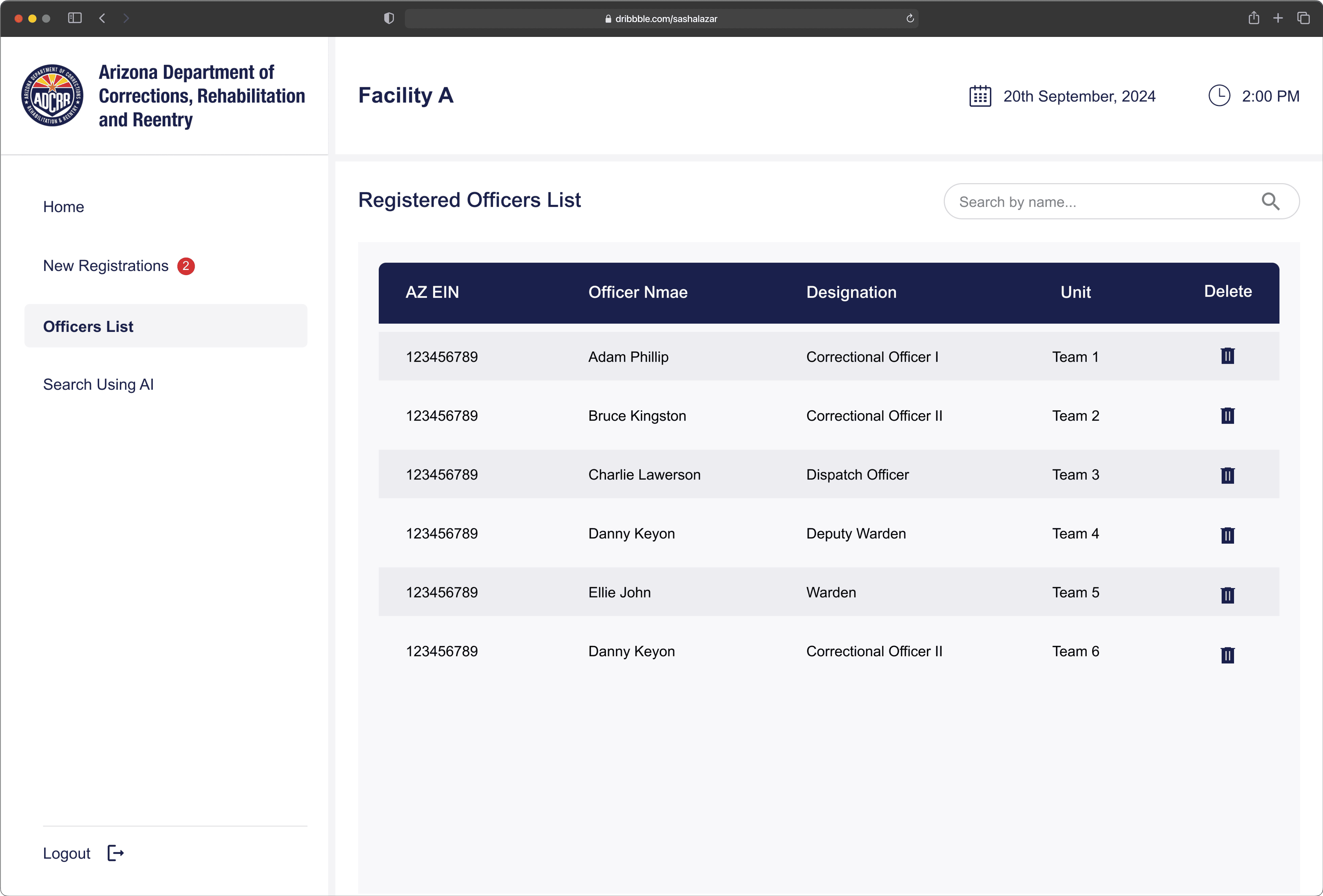
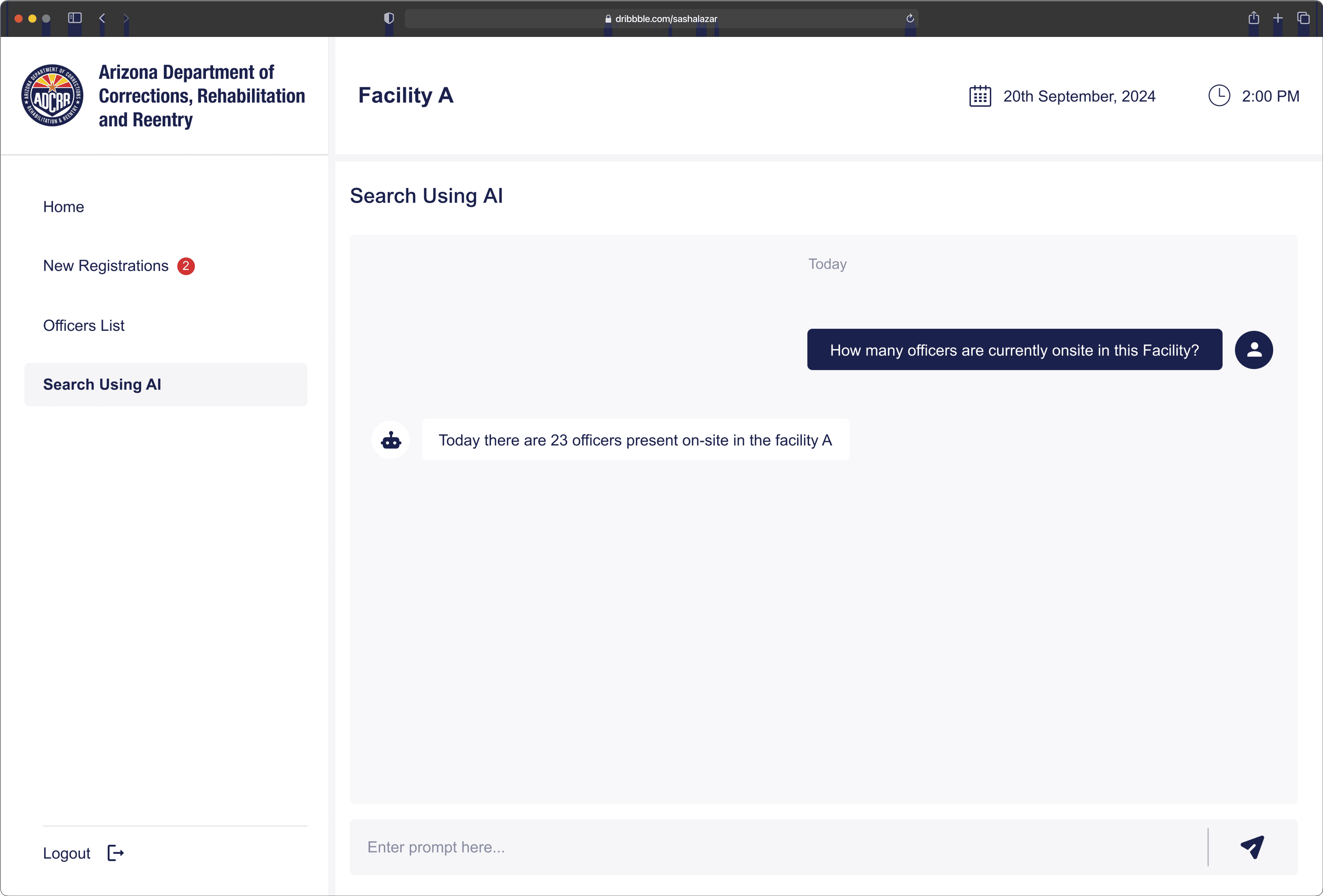
Internal AI Chatbot
Admins can quickly retrieve information by using a AI chatbot, making it easier to access needed data during incidents.
Super Admin Overview Dashboard
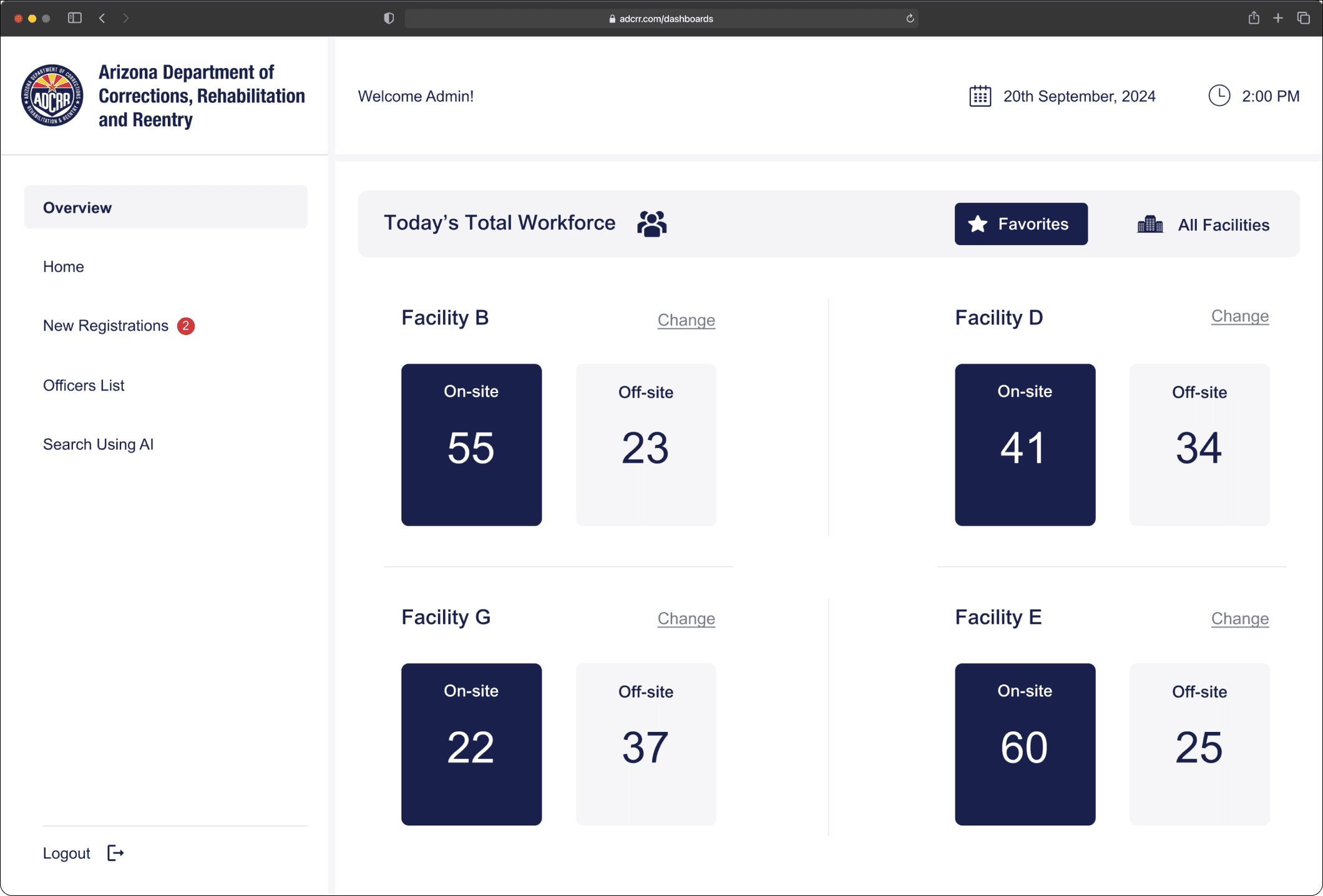
Stakeholder interviews highlighted that some facilities require the super admin's constant attention. This dashboard enables quick monitoring of officer counts.
Clicking on any facility navigates to its respective dashboard for more details.
Overall Impact
The Dashboard delivers enhanced efficiency and accountability to the management of ADCRR officer check-ins and check-outs across 10 Arizona correctional facilities.
Admin response time for searching officer status decreased from 40 sec to 2 sec during incidents.
With its real-time visibility into officer status and associated items, the solution aims to streamline operations and strengthen incident response capabilities.