Overview

The main goal of this ASU (Arizona State University) transit app is to streamline campus transportation by providing
real-time shuttle tracking and bus stop navigational assistance, enhancing the commuting experience for ASU students.

Project Type

Individual academic project

Timeline

10 weeks

10 weeks

Tools

Figma, Illustrator, Photoshop

The Challenge

The Challenge

How might we provide ASU students with an efficient and user-friendly
shuttle tracking solution that addresses the issues in the current tracking website?

How might we provide ASU students with an efficient and
user-friendly shuttle tracking solution that addresses
the issues in the current tracking website?

How might we provide ASU students with an efficient and user-friendly shuttle tracking solution that addresses the issues in the current tracking website?

Background

Why this challenge?

What made me to
choose this challenge?

While waiting at the bus stop, I often heard students voicing their frustration with the current shuttle tracking website.

Their consistent complaints about the difficulties they faced highlighted a significant gap in the system.

While waiting at the bus stop, I often heard students voicing their frustration with the current shuttle tracking website.

Their consistent complaints about the difficulties they faced highlighted
a significant gap in the system.

While waiting at the bus stop, I often heard students voicing their frustration with the current shuttle tracking website.

Their consistent complaints about the difficulties they faced highlighted a significant gap in the system.

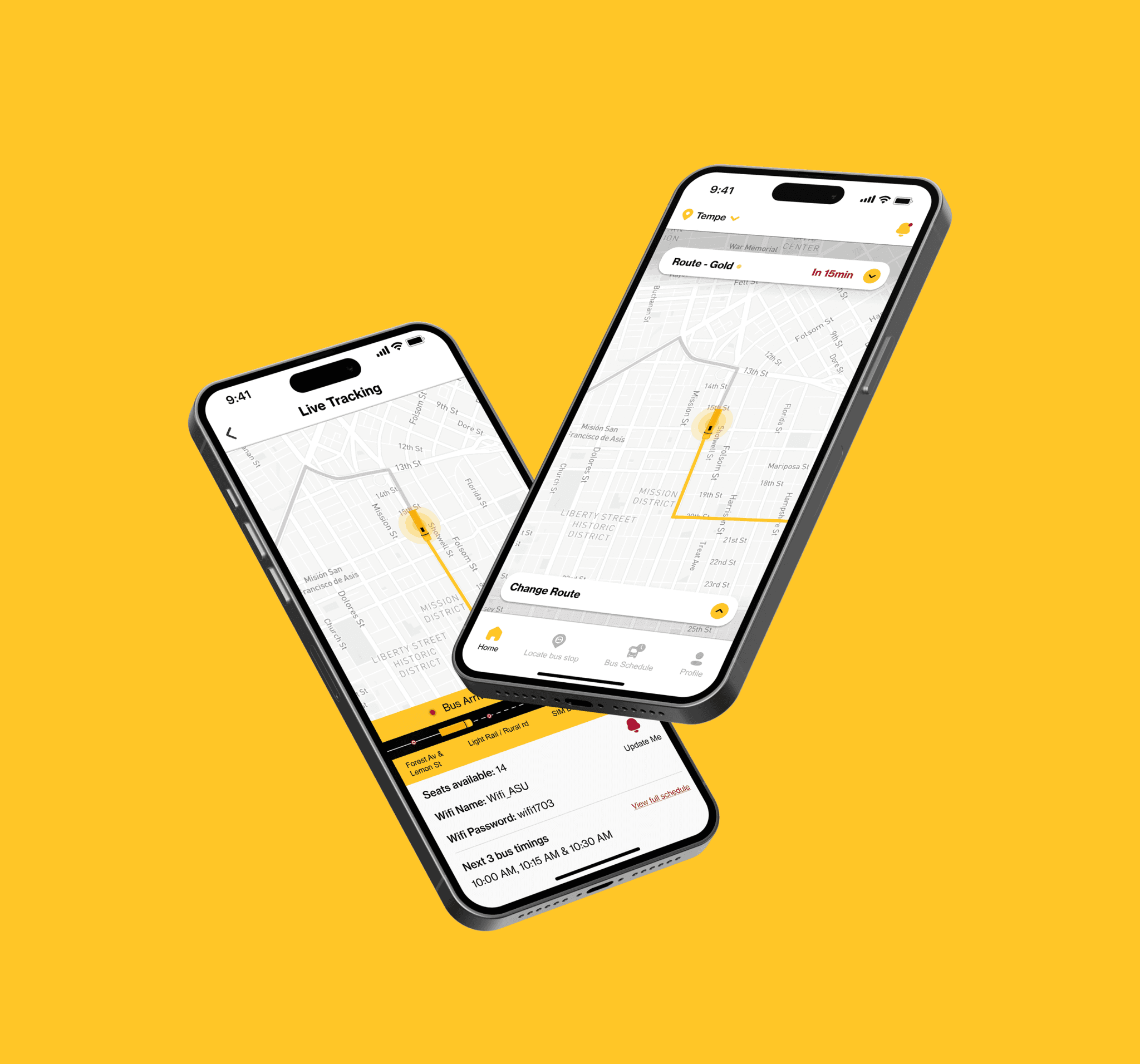
Glimpse of the final product

Glimpse of the
final product

Glimpse of the final product

User research

User Interviews

I interviewed 5 ASU students in person, to learn about the obstacles students have when using the current ASU bus
shuttle tracking website.

Sample Interview Script

  1. How often do you utilize the ASU bus shuttle service in your daily routine?

  2. How user-friendly is the current ASU bus shuttle tracking website?

  3. As a new ASU student, did you experience difficulties finding bus shuttle stops?

  4. What do you see as a major issue in the current tracking system?

  5. Are you able to easily connect to the wifi available onboard?

  6. What feature do you think would enhance the current tracking system?

Key findings from user survey

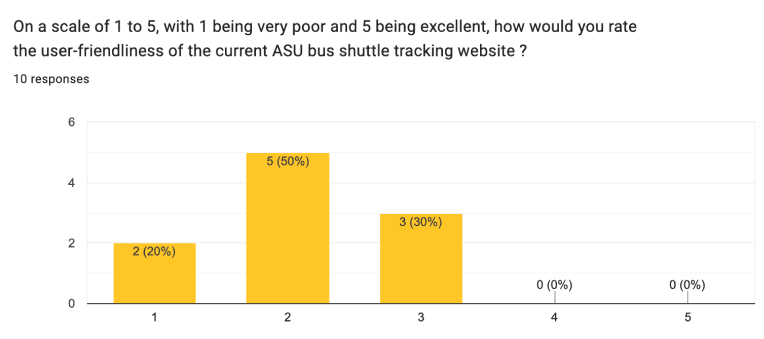
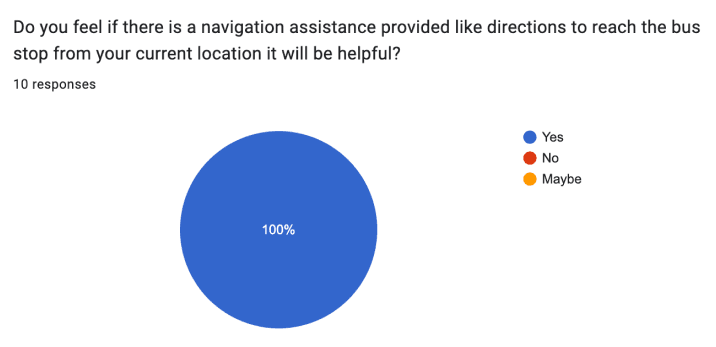
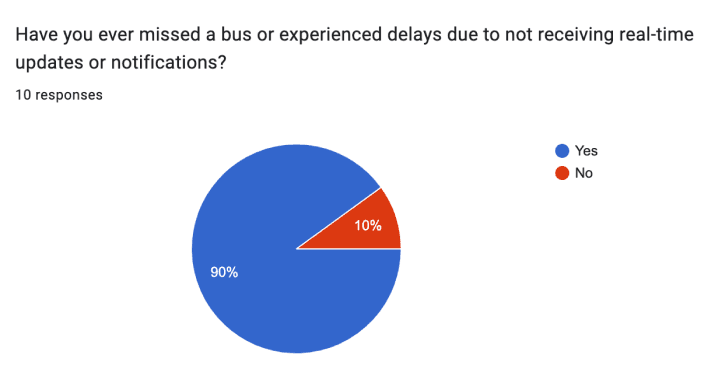
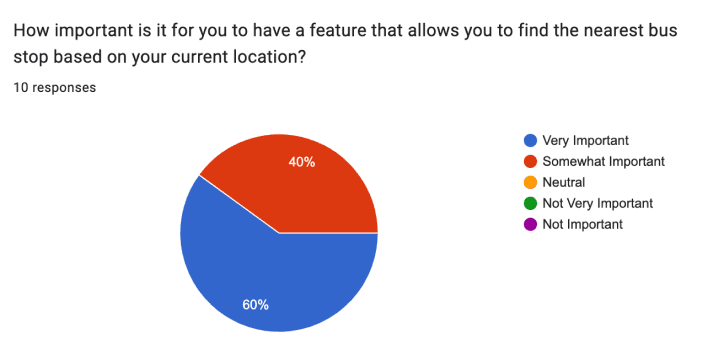
I set up a Google Form to conduct a user survey aimed at gathering quantifiable information on user requirements and issues. Ten participants responded, and 90% expressed dissatisfaction with the current ASU shuttle tracking webpage's functionality.
Validation of the original design

Validating the current bus
tracking system

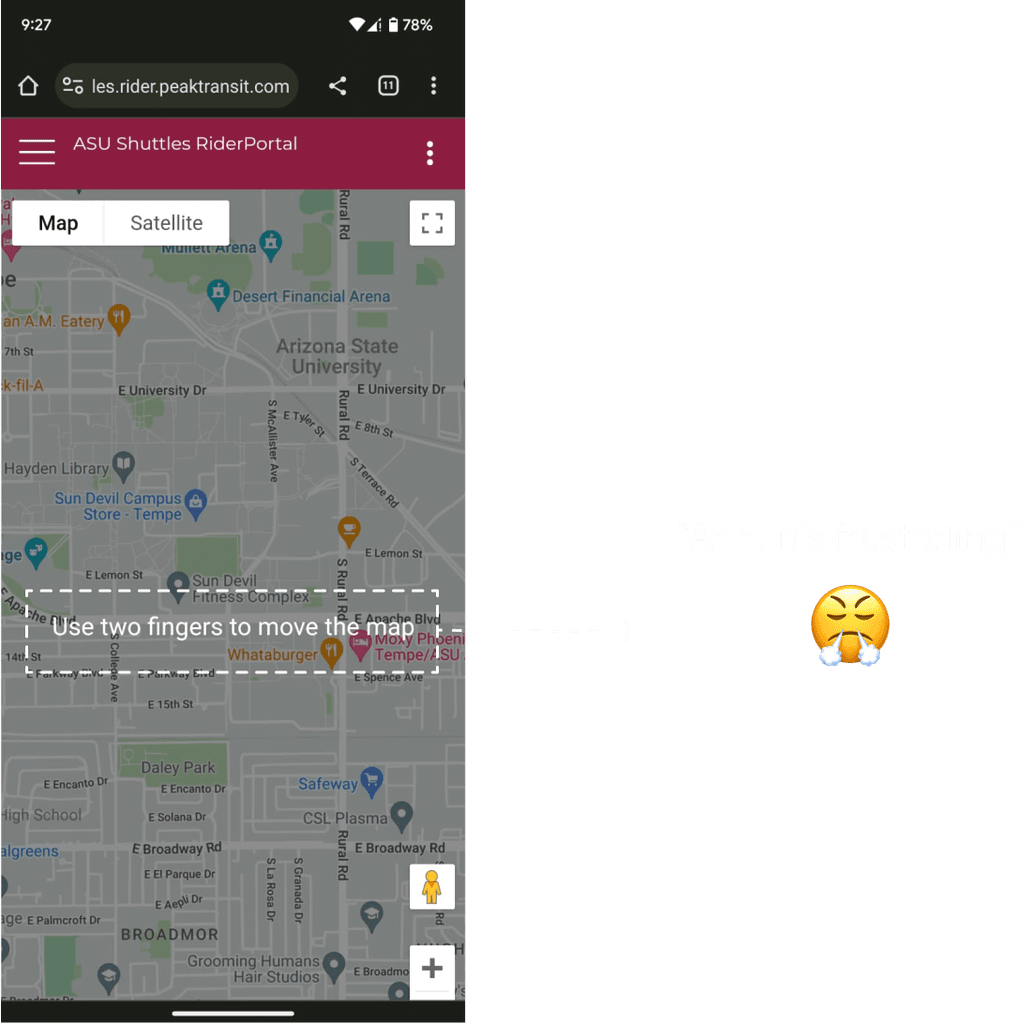
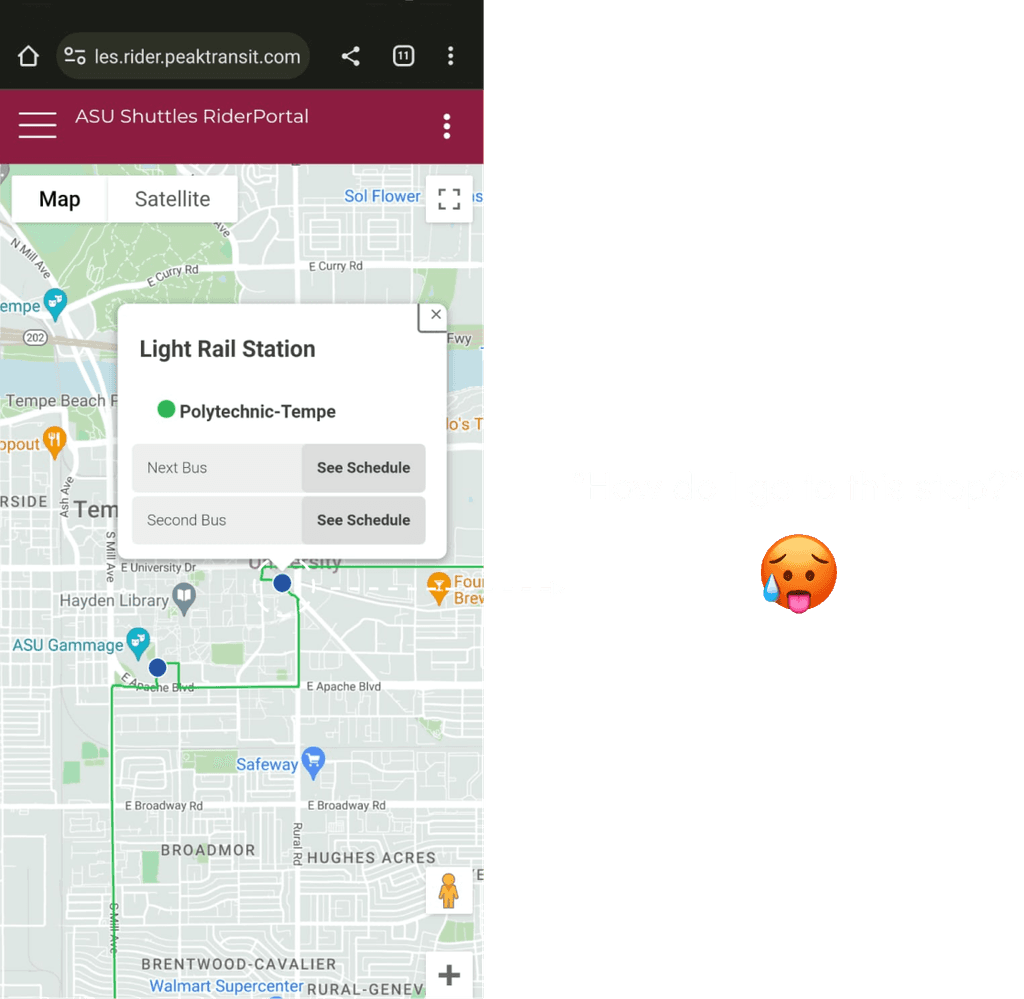
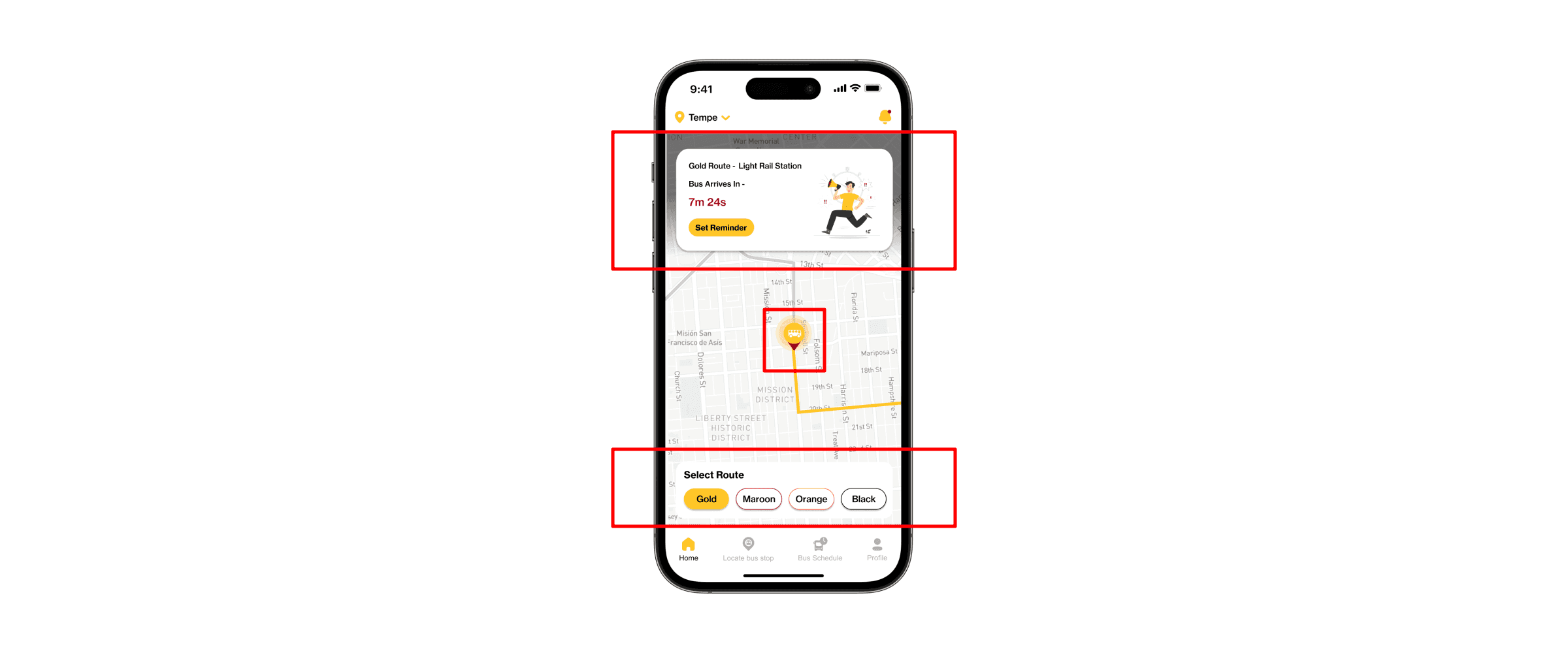
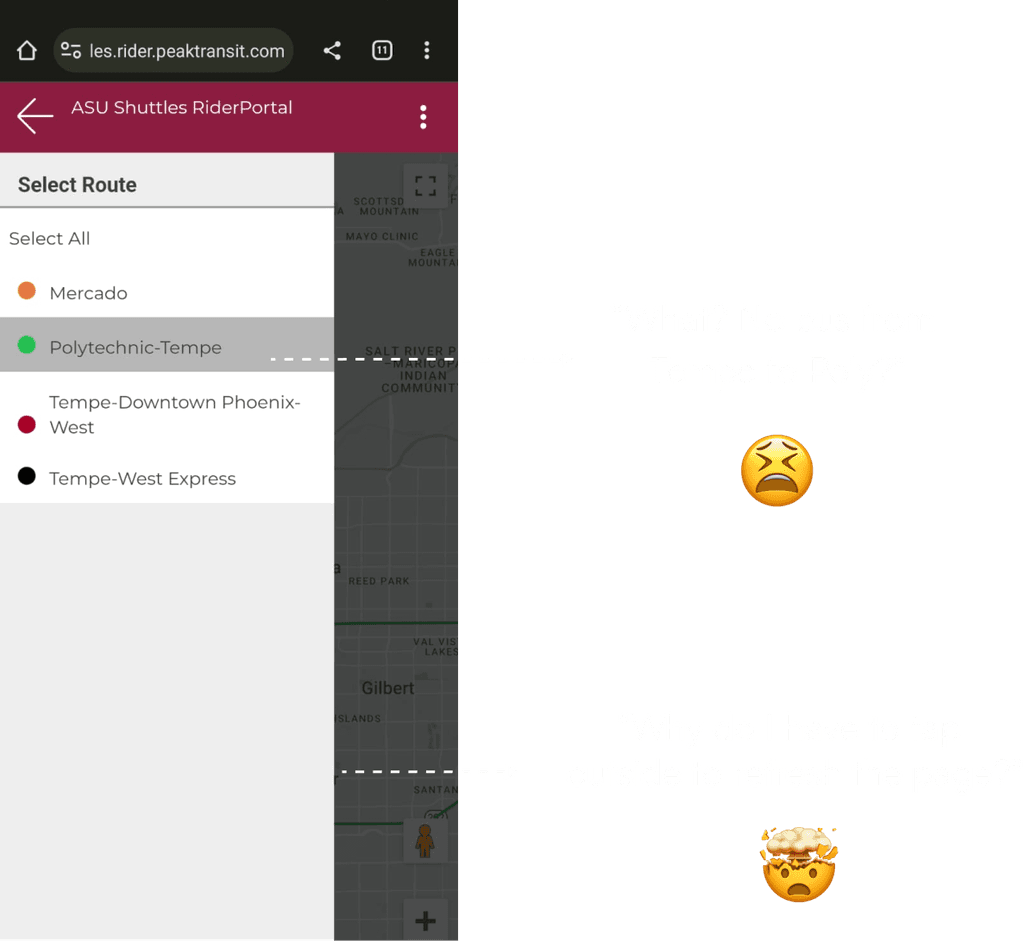
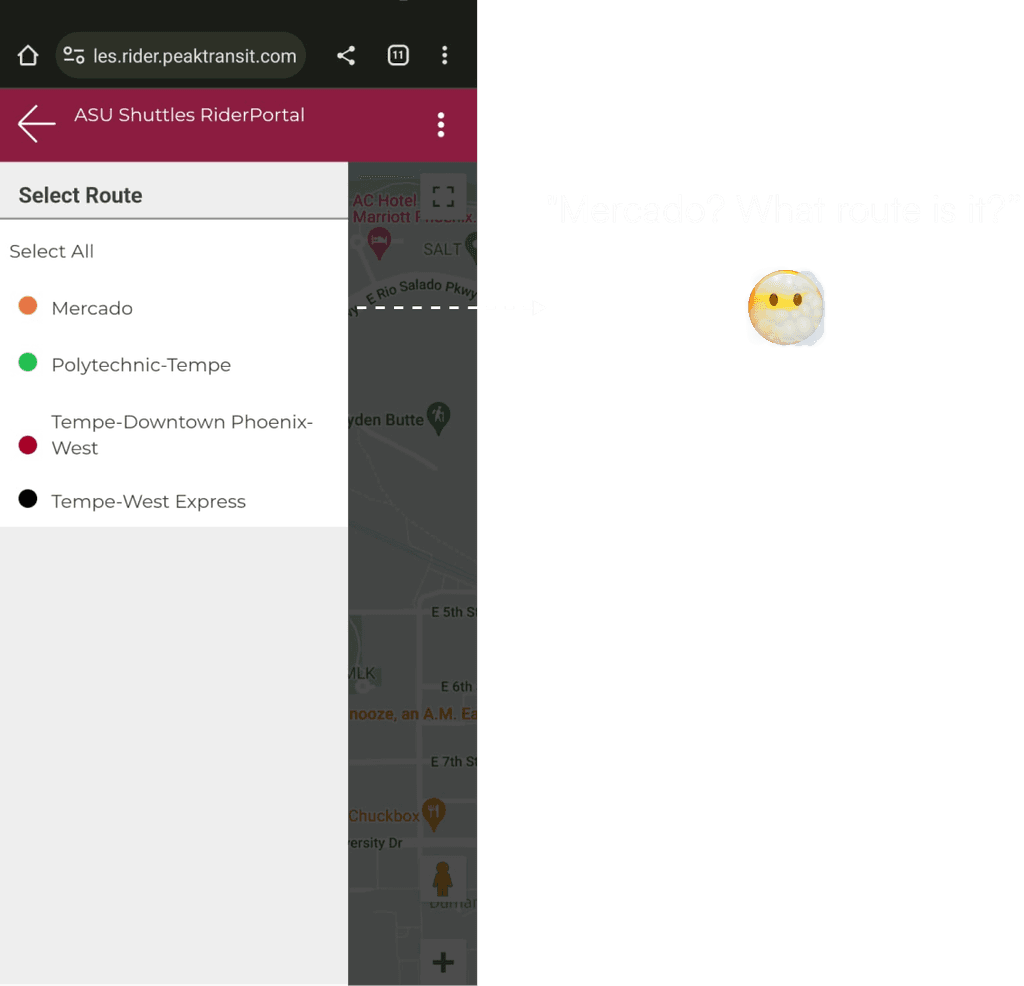
I visually identified & marked key aspects of the current ASU bus shuttle tracking website, capturing user sentiments and pinpointing potential usability issues.
Problem Space

Consolidating user pain points
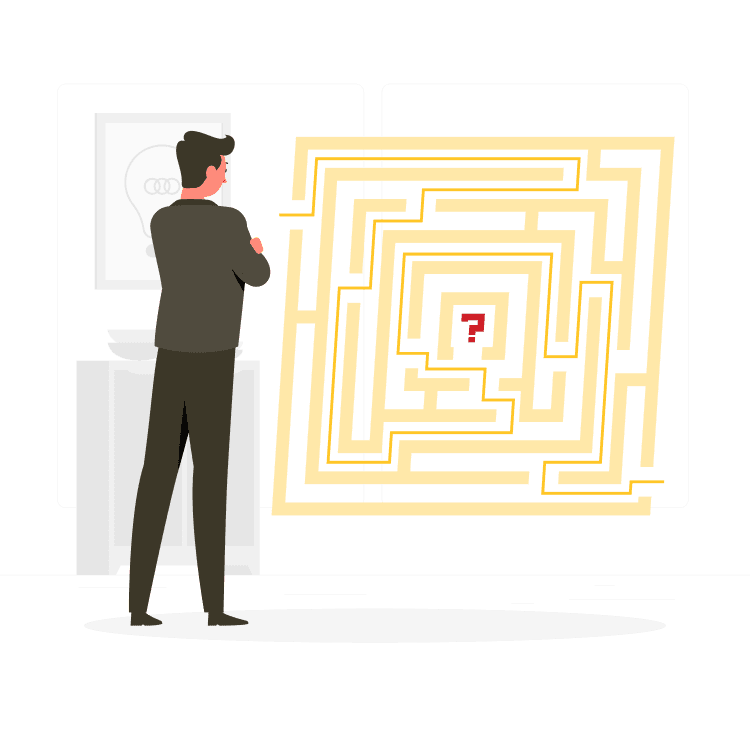
  1. The lack of real-time updates causes uncertainty in bus tracking for students.

  2. Absence of comprehensive bus schedules makes it difficult for students to plan their travel.

  3. New ASU students have difficulty locating bus stops as they are unfamiliar with the campus.

  4. Inaccessible Wi-Fi passwords on buses limit students' connectivity during commutes.

  1. Lack of real-time updates causes uncertainty in bus tracking for students.

  2. Absence of comprehensive bus schedules makes it difficult for students
    to plan their travel.

  3. New ASU students have difficulty locating bus stops as they are unfamiliar
    with the campus.

  4. Inaccessible Wi-Fi passwords on buses limit students' connectivity during commutes.

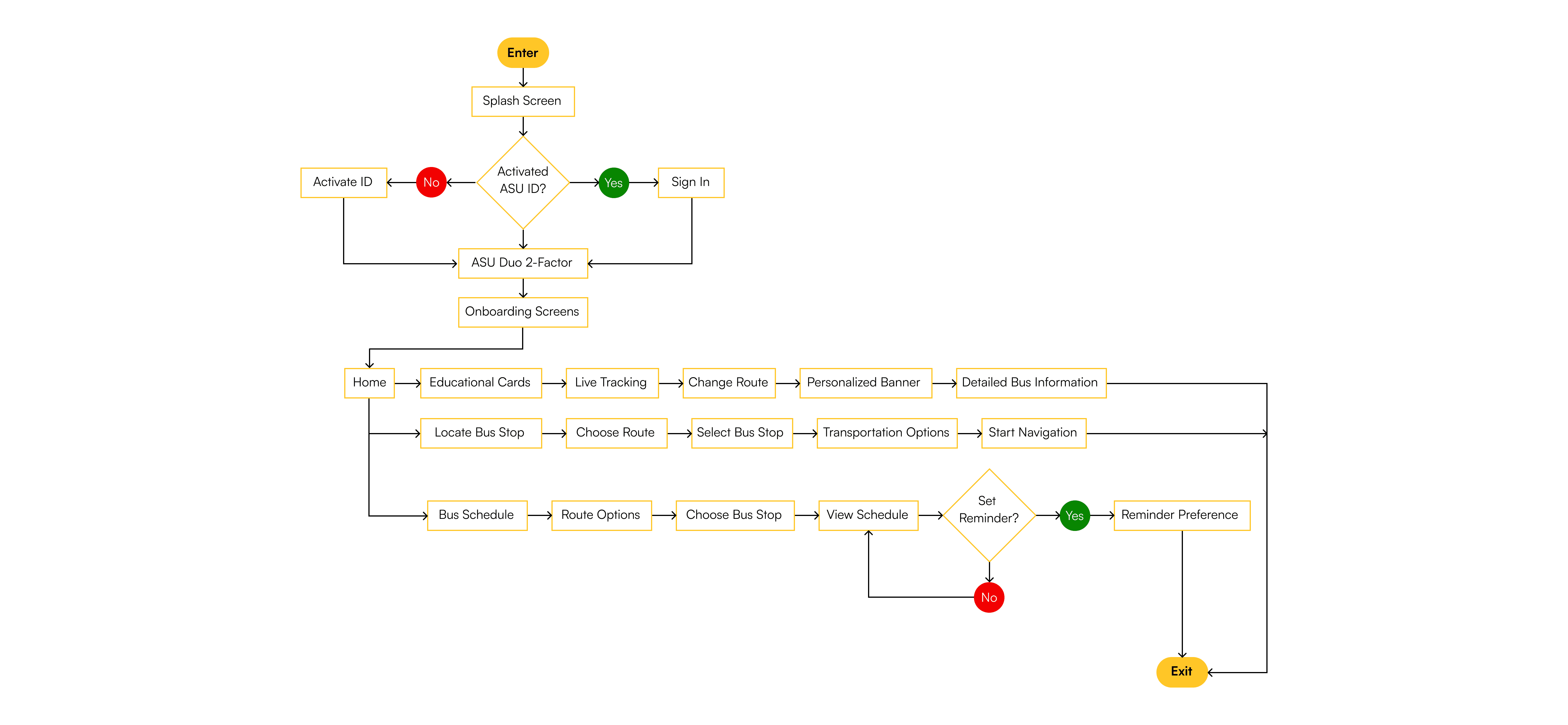
Mapping out the user flow

I created user flow diagram to get a clear picture of the path that a user follows to accomplish a specific task.
Ideation

Brainstorming Ideas

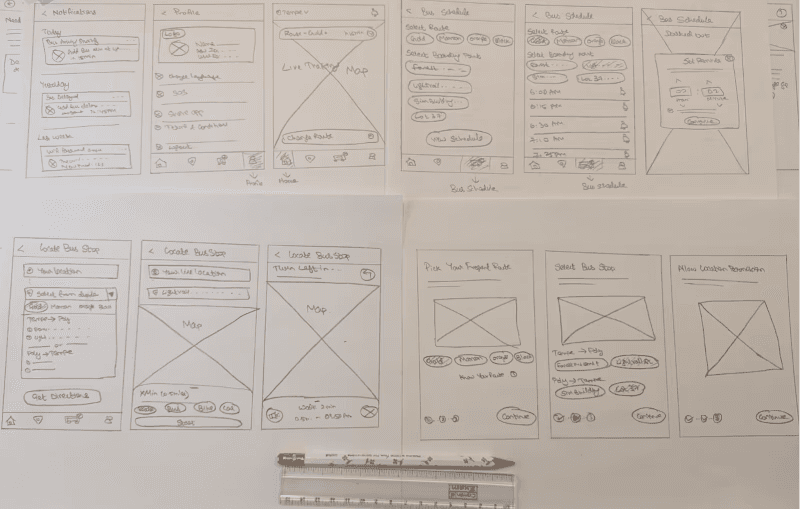
Following the collection of my findings and insights from the ideate phase, I started to brainstorm and sketch paper wireframes of the main screens.
visual Designs

High Fidelity Designs

Onboarding Screens

These onboarding screens ask users for their frequent bus routes and the bus stops they use for both boarding and drop-off destinations. This information helps provide a 'personalized next bus banner' on the homepage.

These onboarding screens ask users for their frequent bus routes and the bus stops they use for both boarding and drop-off destinations. This information helps provide a 'personalized next bus banner' on the homepage.

Home Page

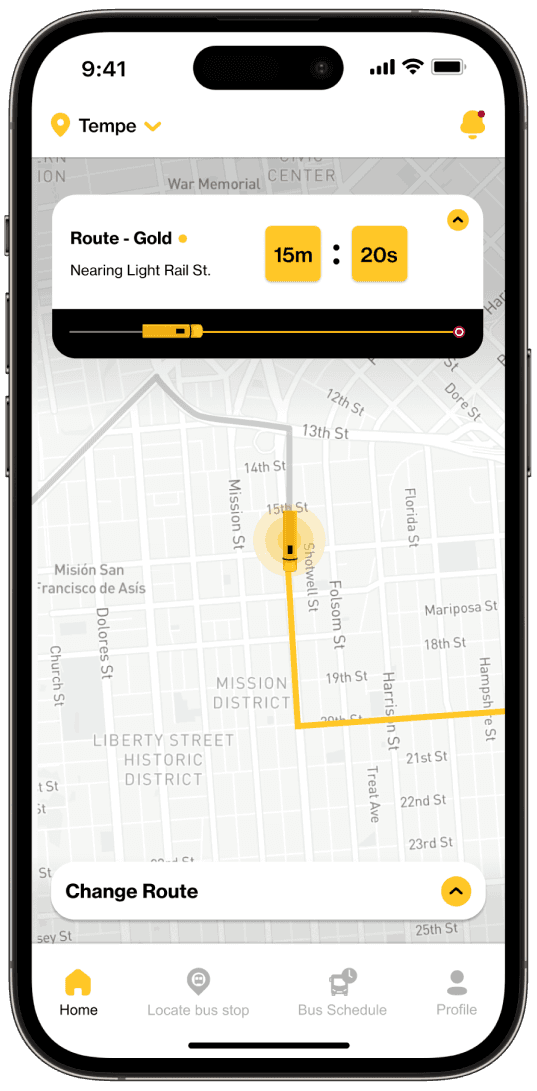
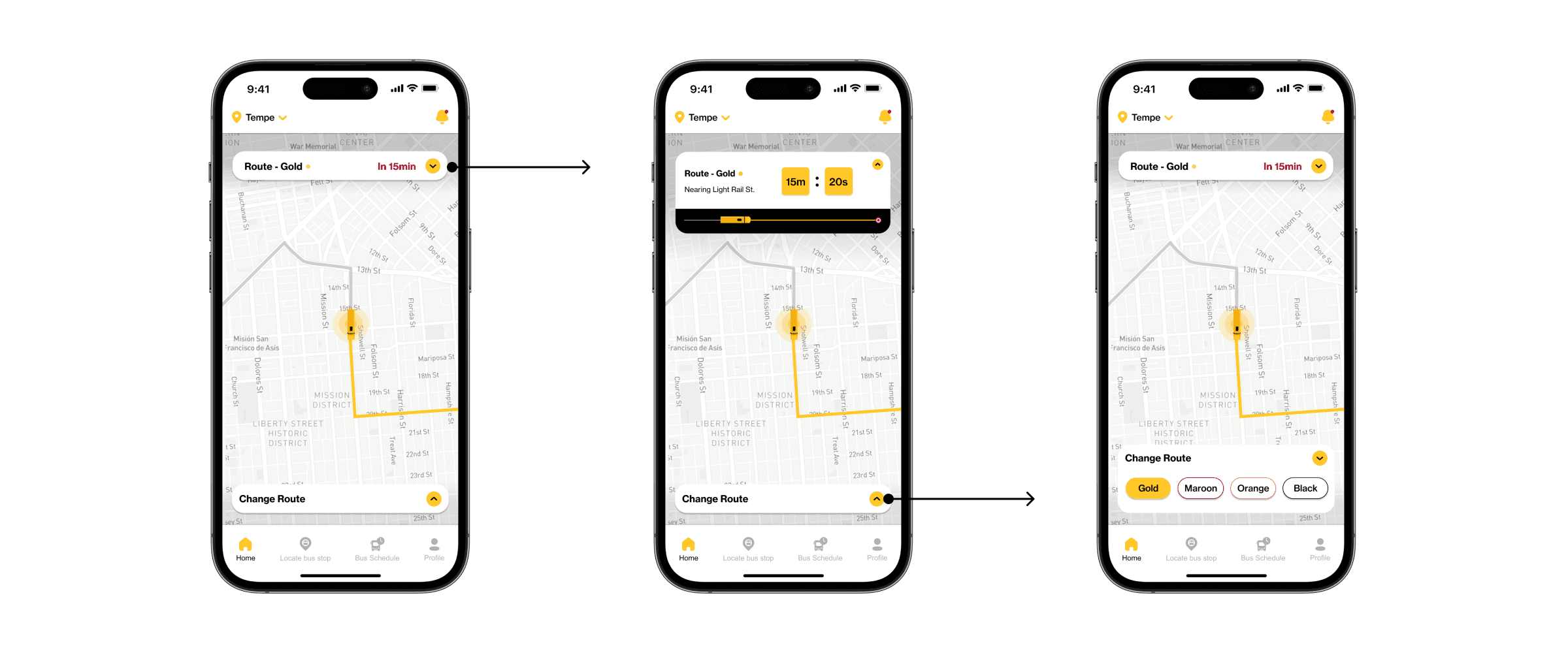
I utilized the concept of "Progressive Disclosure" to streamline the user interface, aiming for minimalism & created more room for the background map.
Locate Bus Stop

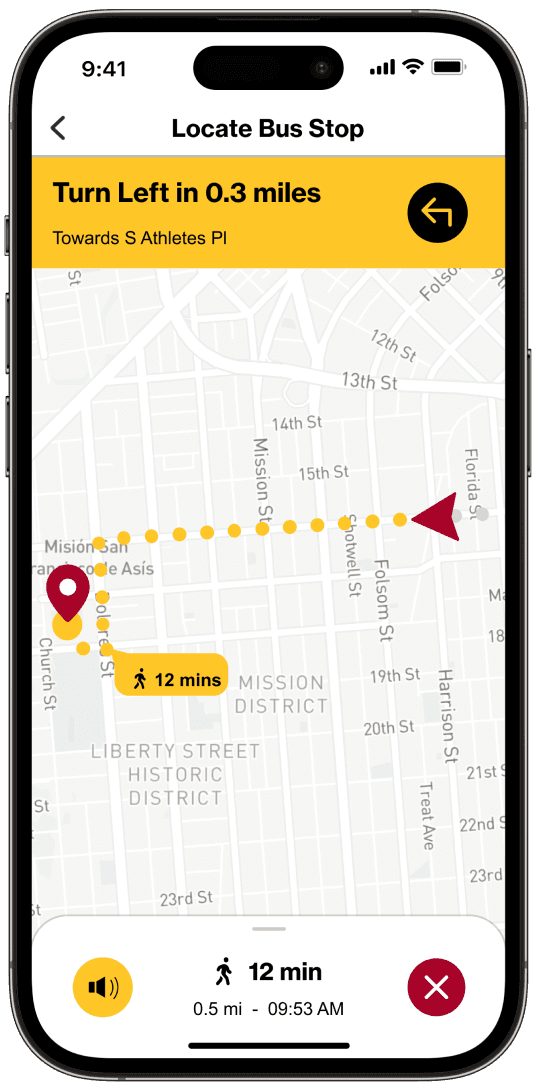
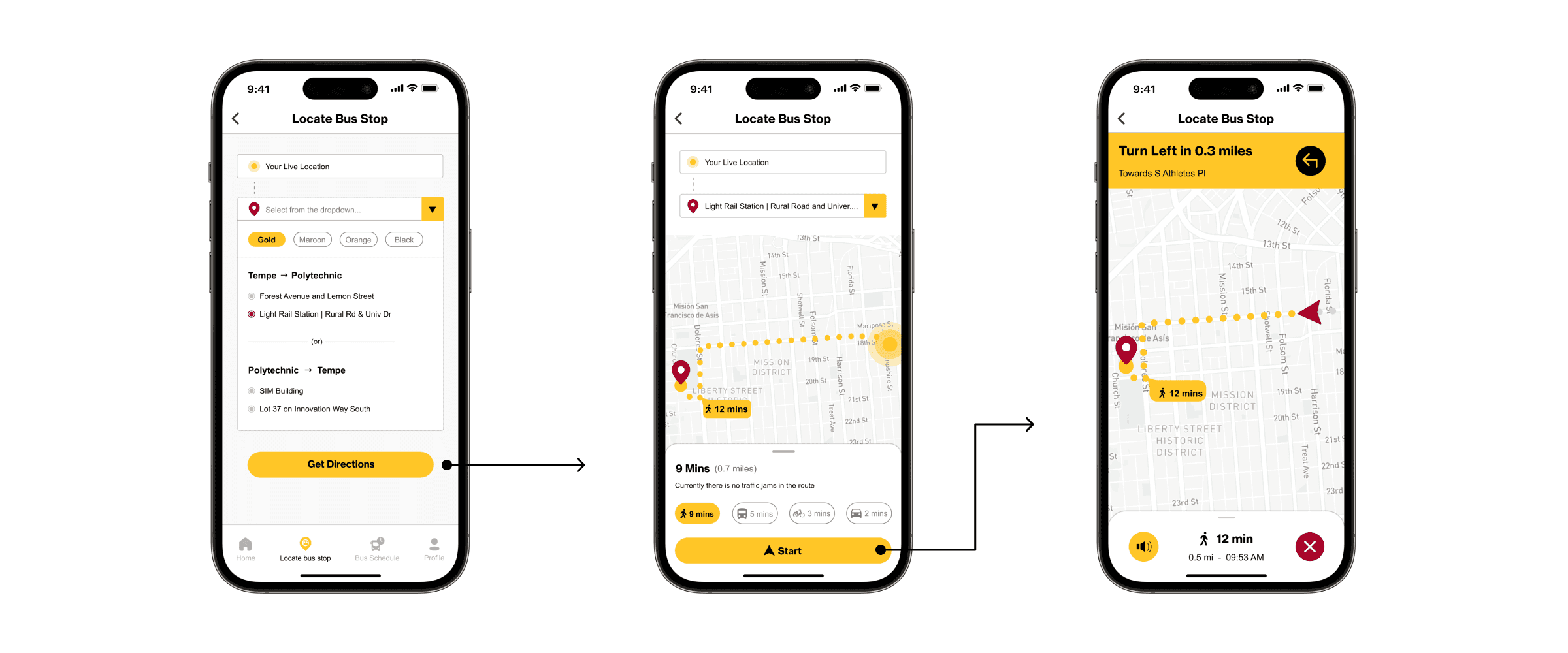
Users can locate the closest bus stop and get navigation guidance to reach that specific stop. This feature is particularly beneficial for new ASU students and those traveling between campuses.
Bus Schedule

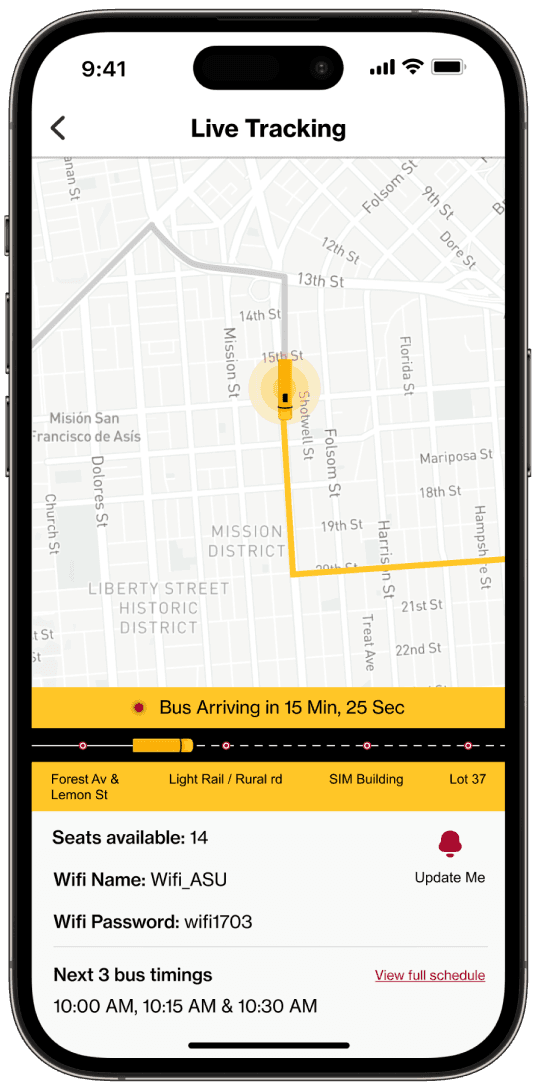
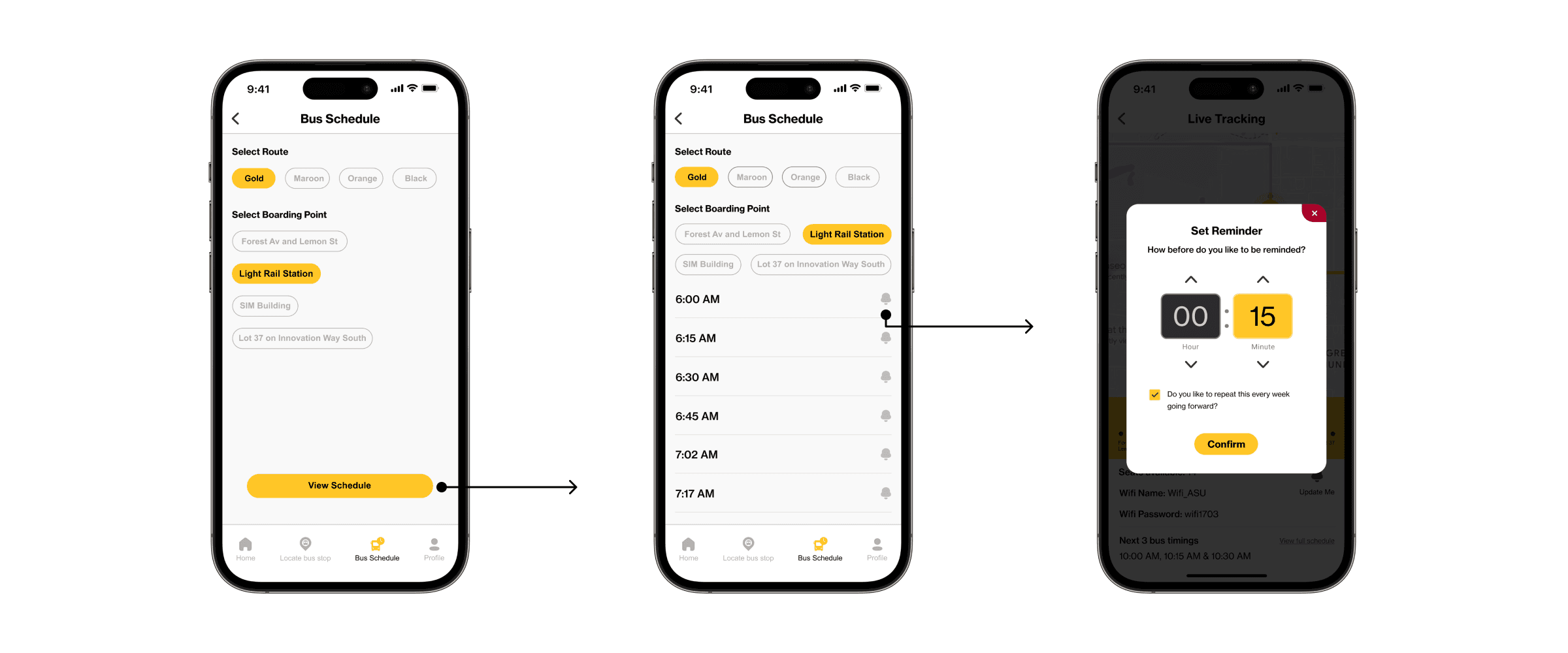
Users can effortlessly stay informed about the entire bus timetable for a specific route and schedule reminders for when the bus is nearing their stop, eliminating the necessity to frequently check their phone for bus location updates.
Notifications

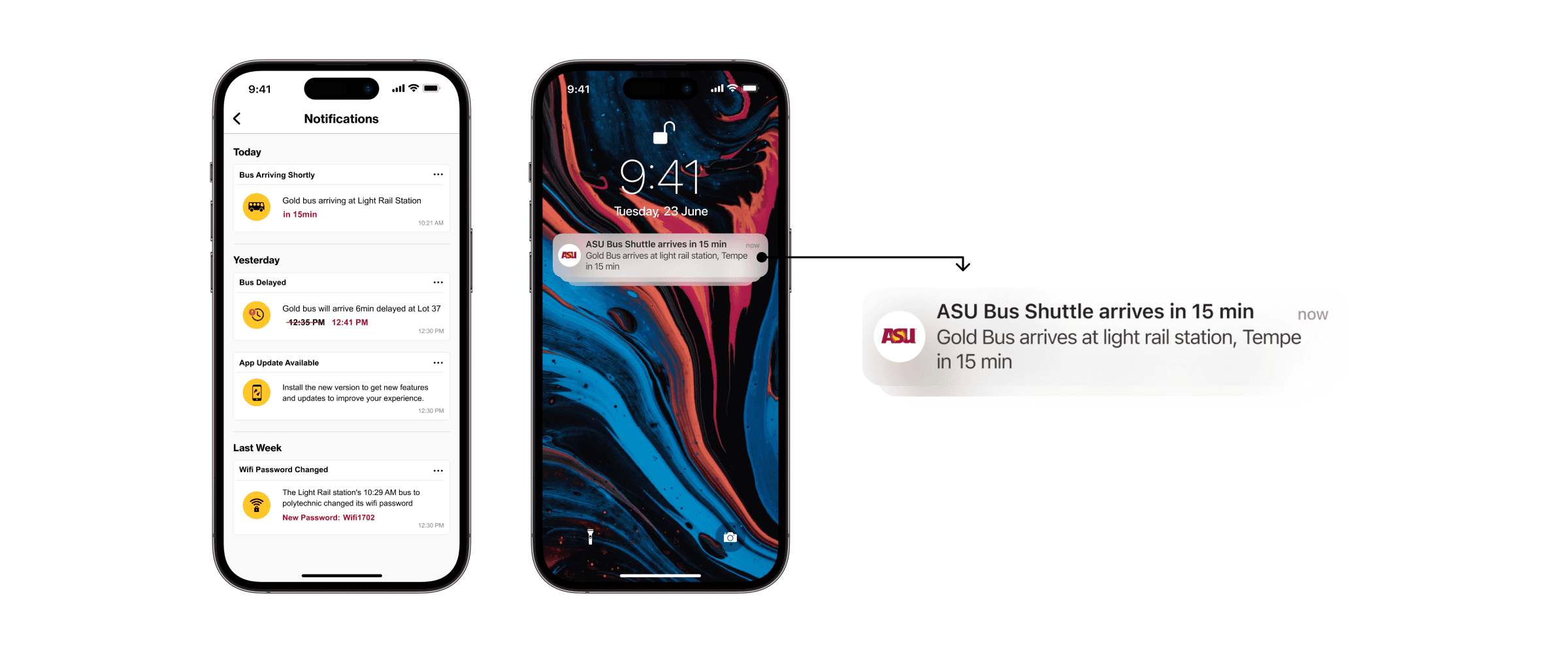
If users have configured reminders, they will receive in-app notifications and push notifications as shown below.
evaluation

Usability Testing

I carried out the scenario based testing method for the usability testing of this project.

I carried out the scenario based testing method for the usability testing of this project.

Participants

  1. Total Participants - 9

  2. Seven students who regularly travel to various campuses.

  3. Two students using the ASU shuttle less frequently.

  4. The group includes both graduate and undergraduate students.
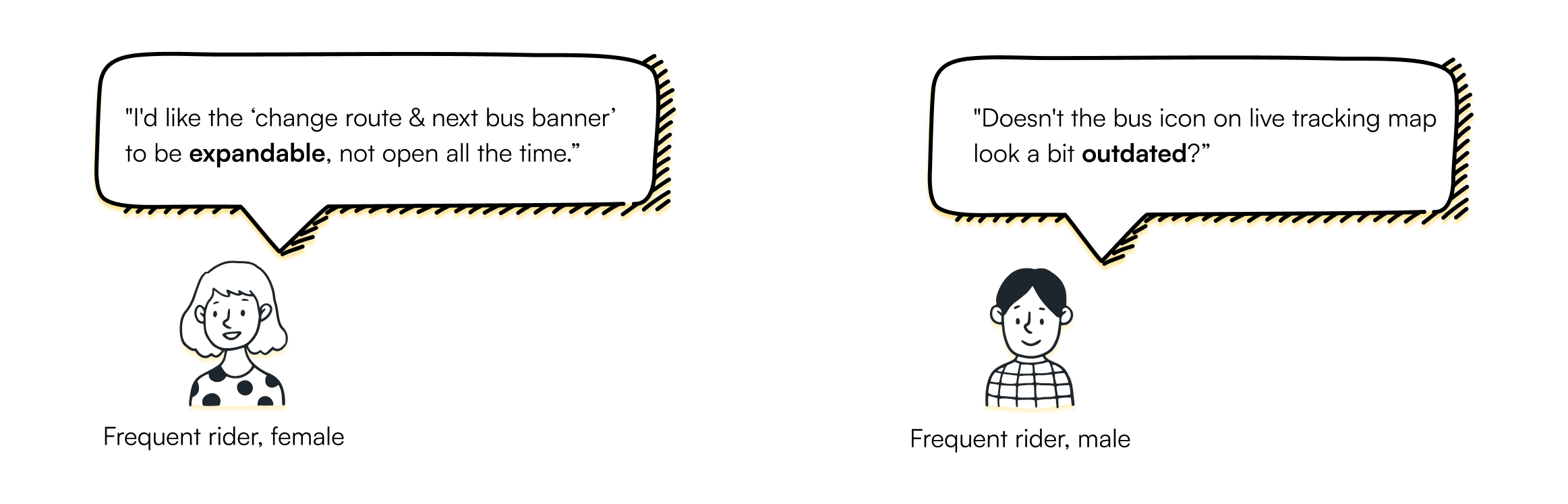
Key feedbacks (“Think out aloud” phrases)

Key feedbacks
(“Think out aloud” phrases)

Implementing Feedback

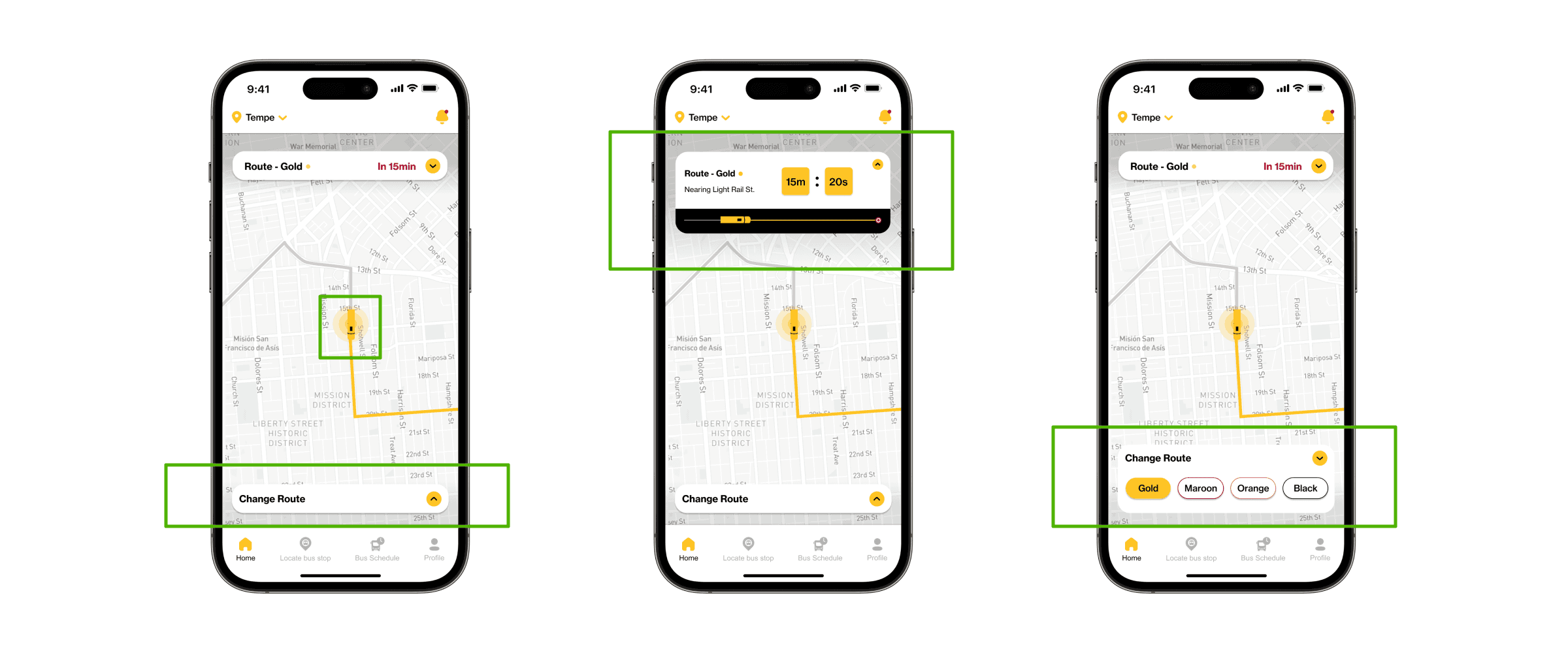
Most user feedback focused on the next bus and route change banners. I used 'progressive disclosure' to reduce clutter.
Also, I totally revamped the next bus banner and bus icon for a better design.

Most user feedback focused on the next bus and route change banners. I used 'progressive disclosure' to reduce clutter. Also, I totally revamped the next bus banner and bus icon for a better design.

Before Usability Testing

After Usability Testing
Overall Impact

This redesign improves the commuting experience for ASU students by providing
real-time shuttle updates and multi-route visibility.

Increased task completion rates by 20% and streamlined the commuting experience for 700+ daily users.

This redesign improves the commuting experience for ASU students by providing real-time shuttle updates and multi-route visibility.

Increased task completion rates by 20% and streamlined the commuting experience for 700+ daily users.

Reflections

This project demonstrated that thorough user research is the foundation of creating simple and effective interfaces.

By iterating on the personalized live bus tracking card, I learned how continuous refinement can elevate usability and meet real user needs.

The focus on visual consistency ensured a cohesive user experience, making the design both functional and
visually appealing.
Thank you for stopping by!

If you're interested, learn more about me or shoot me a message.

© 2025 Saran Nithissh. All Rights Reserved.

Thank you for stopping by!

If you're interested, learn more about me or shoot me a message.

© 2025 Saran Nithissh. All Rights Reserved.

Thank you for stopping by!

If you're interested, learn more about me or shoot me a message. I will get back you as soon as possible.

© 2025 Saran Nithissh. All Rights Reserved.

Create a free website with Framer, the website builder loved by startups, designers and agencies.